Task 6 (5 Marks)
Suggested Time for Task 6: 10 minutes
Your manager wants to talk to you about the meeting.
She sends you an invite for a video call.
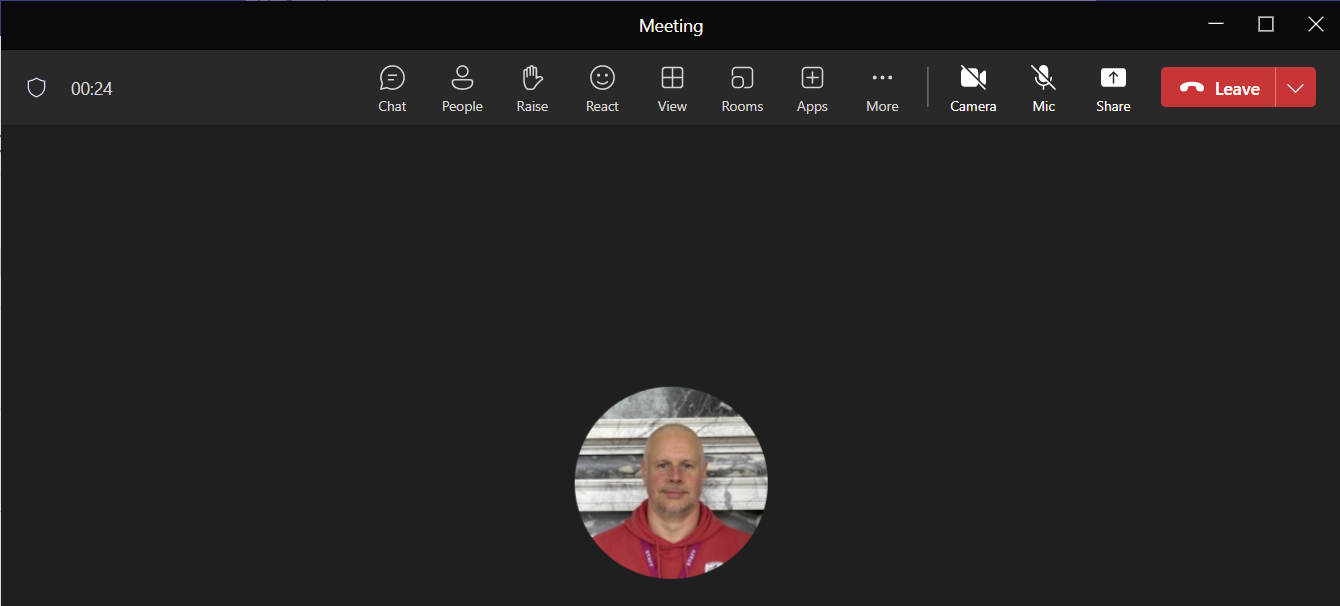
a) Show where you would click to Start the Call.
Click in the correct place on the image below. (1 mark)

b) Your manager asks you a question.
Show where you would click to Take Yourself Off Mute so that you can answer him.
Click in the correct place on the image below. (1 mark)

c) Your manager wants you to send him the address of the meeting venue.
Show where you would click to Send Him a Message during the call.
Click in the correct place on the image below. (1 mark)
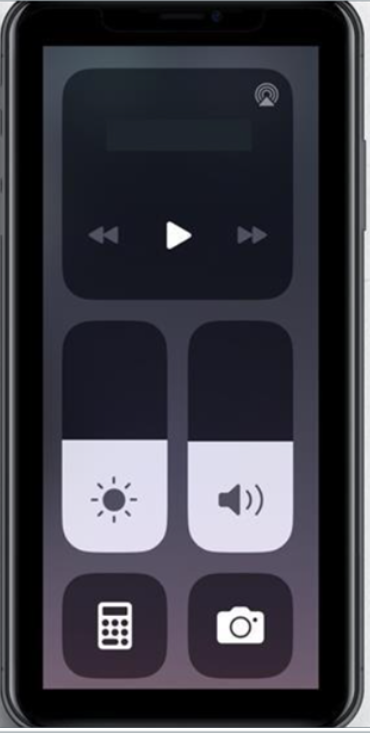
You need to change some of your settings on your mobile device.
d) Click on the image below to show where you would press to Increase the Volume. (1 mark)
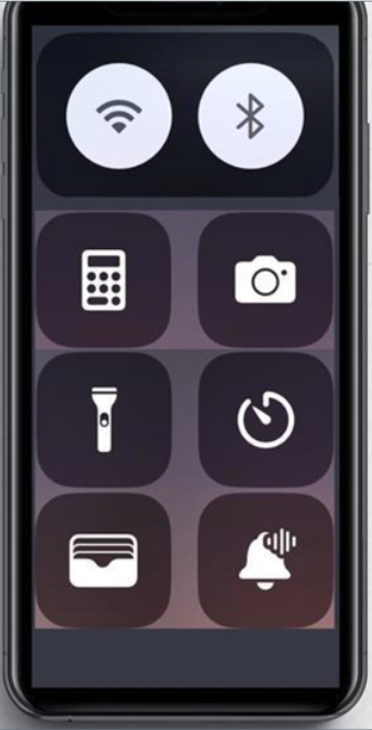
d) Click on the image below to show where you would press to Switch on the Wi-Fi. (1 mark)
When you have finished Task 6 press Next.